Engineering Studio
by Siemens Process Systems Enterprise (SPSE) 2021.
The problemThe existing Excel-based engineering product had reached its scalability limits, requiring a complete redesign into a robust, user-centred platform that could support business growth.
Project team
-

Designer
Sole designer for design, research, and UAT.
-
Engineering
Team of three developers varying in skill level. Led by a engineering architect.
-

Stakeholder
Stakeholders include, CEO, head of product and various R&D employees.
Researching & root causes
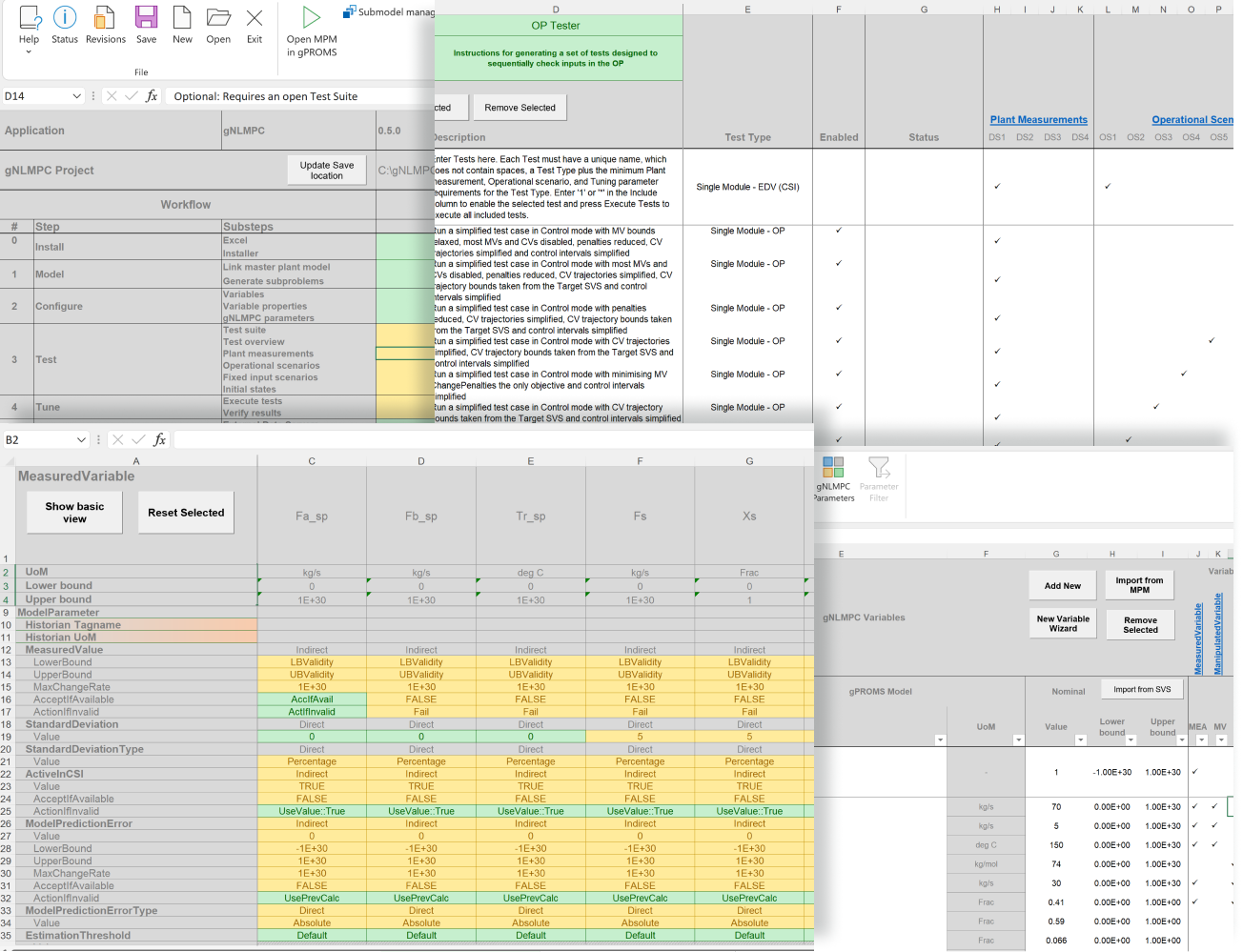
Outdated, but functional
I began by auditing the existing Excel-based application. While it had supported the business for years, ongoing feature additions and limited usability considerations had created a complex, slow, and difficult-to-navigate experience, highlighting the need for a more scalable, user-centred solution.
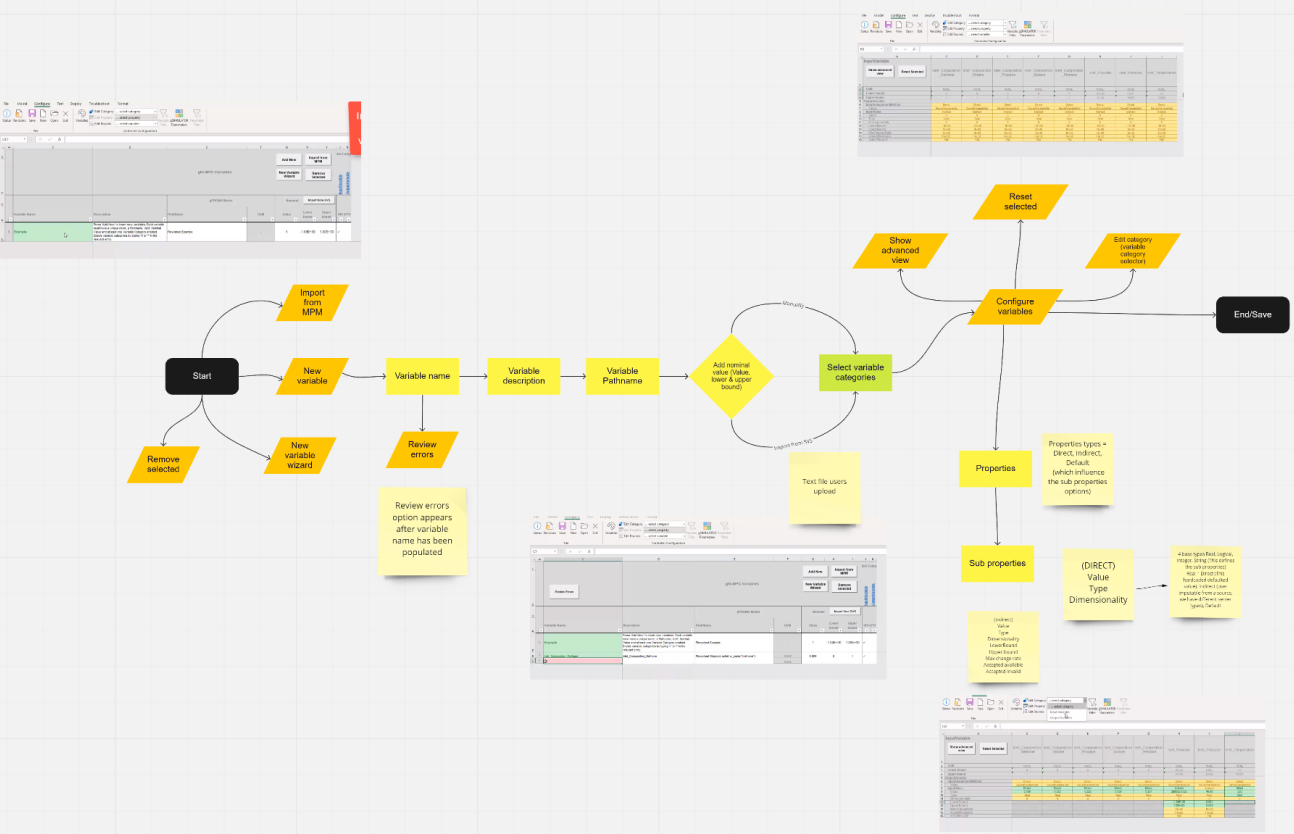
Workshops, many many….
To better understand our users, I led a series of discovery workshops with stakeholders and end users. Early research revealed that the application revolved around three key workflow stages: Configuration, Testing, and Deployment.
I then conducted focused workshops for each stage, mapping user flows, analysing the existing interface, and identifying key pain points and opportunities. These insights shaped the foundation of the new product architecture and user experience.
Architecture & Design
Working alongside the Lead Engineer, I helped define a scalable foundation for a complete rebuild of the application. We introduced a flexible panel and tab-based experience that enabled workspace customisation, supported future feature growth, and aligned with the new SPSE (Siemens Process Systen Experience) design system.
While the first release targeted desktop users, the architecture was designed with an eventual move to the web in mind, as a result the platform ‘Electron’ was chosen to eventually move to web.
Wireframes
I used Balsamiq to create low-fidelity wireframes that explored core user workflows and early product concepts.
Through regular reviews with internal stakeholders and external clients, I gathered feedback, iterated quickly, and ensured design decisions remained aligned with both user needs and business objectives.
Panel system
User research showed that users regularly switched between configuration and testing tasks, making context-switching a key part of their workflow.
In response, I designed a flexible panel-based interface that allowed users to move between stages without disruption while customising their workspace to suit individual project needs.
High fidelity prototype
I used Figma to create high-fidelity prototypes that supported both final stakeholder validation and engineering handoff. By making key interactions functional and leveraging components from the design system, the prototypes provided a clear reference for user flows, component behaviour, and implementation details, helping to ensure a smooth transition into development.
Road map
-
MVP
First version of SPSE design library
Build the ‘Configuration’ workflow
Basic reporting
Save & load projects to local device
Import v1 ‘Configuration’ files
-
Mid term
Expand to ‘Testing’ workflow
Expanded design library for theming
Theme editor
Import v1 ‘Testing’ files
Run 2 projects at the same time
Add visual reporting
-
Long term
Expand to ‘Deploying’ workflow
Fully integrated design system
Import all types of v1 files
Add ‘Timeline’ feature into the ‘Testing’ workflow
Live analytics and reporting